Massive batch runs
Run full template x design combinations in one click without babysitting Photoshop.
Photoshop UXP Plugin
MockupMax turns manual smart object replacement into a repeatable production system. Launch more listings, stay consistent, and free up your week.
20h/week
Typical time reclaimed
3 steps
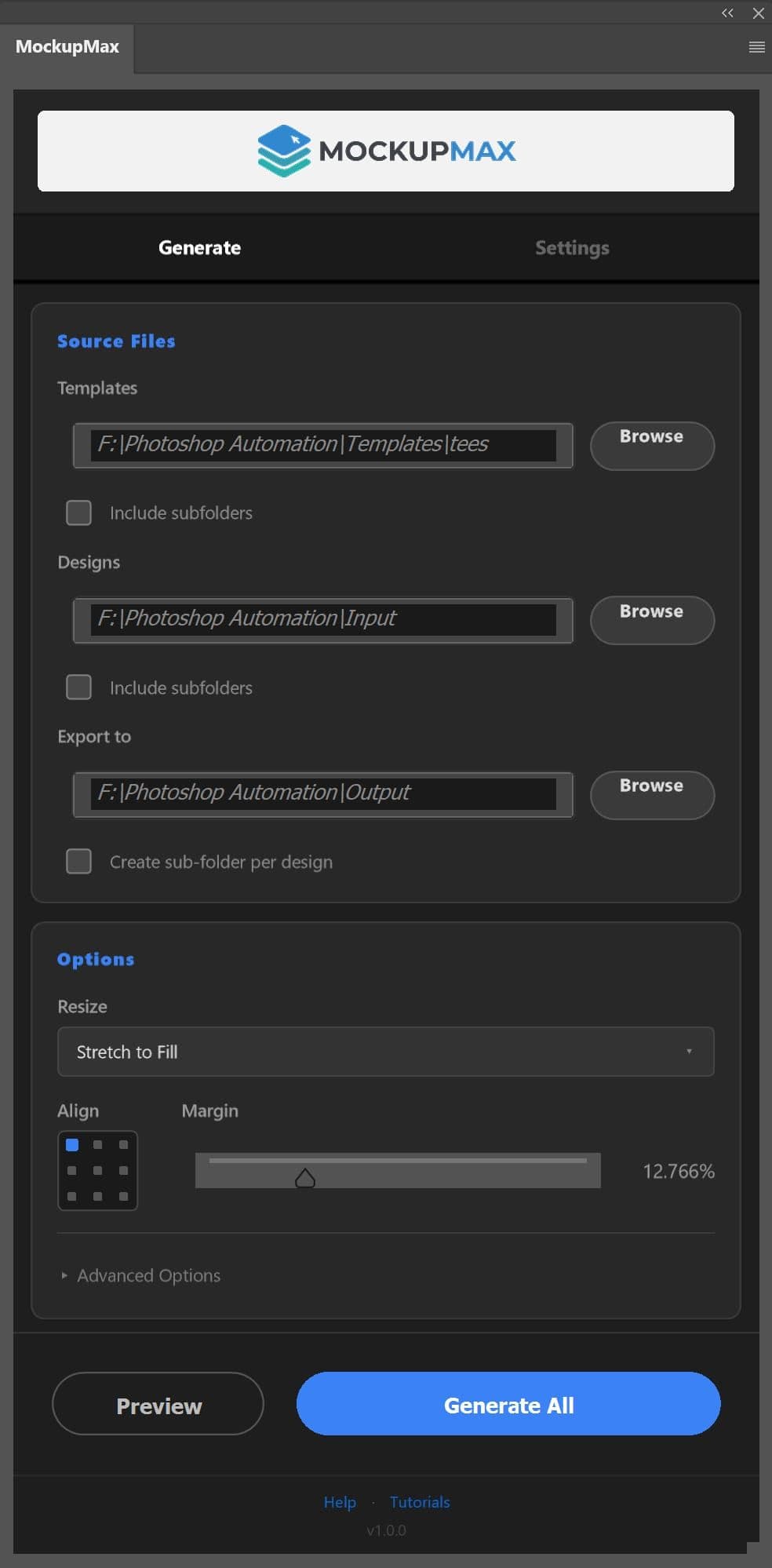
Select templates, add designs, generate
1 workflow
From PSD folders to upload-ready exports
What makes it better
Run full template x design combinations in one click without babysitting Photoshop.
Automatically finds replacement layers and falls back to manual layer names when needed.
Apply consistent resize logic across thousands of mockups with margin and alignment control.
Place artwork top-left to bottom-right with predictable output every run.
Generate clean subfolders and deterministic file names ready for marketplace upload.
Get a clear success and error summary after each batch so troubleshooting is fast.
Workflow
Bring in your PSD mockup library once and reuse across all design batches.
Point MockupMax to JPG, PNG, or TIFF artwork and define scaling and alignment rules.
Run the batch and receive cleanly named, organized output ready for upload.
Creator Pro
Unlimited mockup automation for your production pipeline.
Cancel anytime. 7-day money-back guarantee.
FAQ
MockupMax works only with Adobe Photoshop CC 2022 and later versions.
You only need a basic understanding of the Photoshop interface to use MockupMax. We have guided tutorials for beginners that make it easy to get started.
Yes, MockupMax works with cracked Photoshop.
Latest versions of MockupMax work with Photoshop CC 2022 and later.
Older MockupMax versions work with Photoshop CC 2017, CC 2018, CC 2019, CC 2020, and CC 2021.
Yes. Top-notch customer support is one of our top priorities, and we do our best to resolve any issue you encounter through our support page.
MockupMax is compatible with most print-on-demand mockup templates as long as your template has a smart object layer for design replacement.
Supported examples include framed posters, canvas, t-shirts, tops, hoodies, all-over shirts, leggings, caps, bottles, mugs, tote bags, phone cases, masks, blankets, and towels.
Yes. MockupMax can automatically adjust design size based on your selected mockup templates.
Multiple resize features are available for different use cases, with guided tutorials to help you pick the right mode.
Yes. We stand behind product quality and offer a full refund within 7 days of purchase if you are not satisfied.
From the Blog
Learn how to convert hours of manual Photoshop smart object replacements into a single-click automation batch. Optimize your print-on-demand workflow.
Looking to boost your Etsy click-through rates? We compare the top online and offline mockup tools, showing why bulk Photoshop automation wins.
What is a bulk mockup generator, how does it work, and how can it scale your print-on-demand shop? We break down everything you need to know.
Move to a repeatable workflow and ship faster with MockupMax.
Start with MockupMax